
Progress Intel tracks every remaining upgrade in your Clash of Clans village with exact cost and time, plans your 6 builders and laboratory, and estimates your fully-maxed date. Start by entering your player tag or importing a Village JSON export, then use Overview for a health check, Tracker for the full upgrade list, Planner to schedule builders and the lab, and Compare to see how you stack up against another player. All numbers come from real reverse-engineered game data, and scanning is free with no account required.
What is Progress Intel
Progress Intel is a free upgrade tracker and planner for Clash of Clans Home Villages that shows exactly what to build next and when you'll max out.
It combines three things: an upgrade ledger (every remaining upgrade, with exact cost and time), a scheduling engine (your 6 builders plus the laboratory queue), and a war-readiness score. All numbers come from real reverse-engineered game data — the same cost and time tables the game itself uses — not estimates. It's free, and there are no account requirements to scan a village or use the tracker.
Getting Started — 3 Steps
The onboarding flow takes about 30 seconds. You don't need an account.
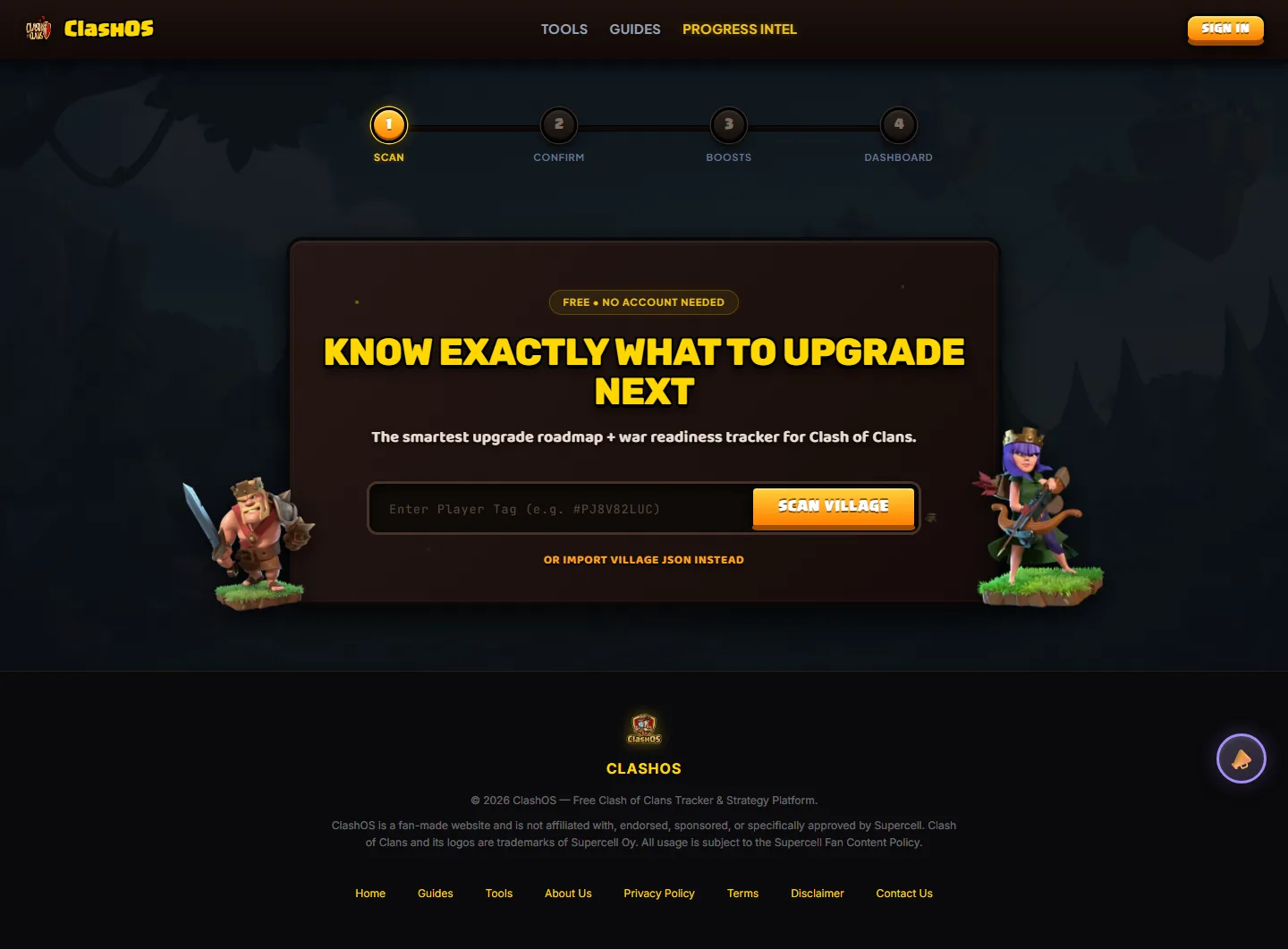
1 Scan
Enter your player tag (e.g. #LLRJPULCV) on the home page and tap Scan Village.
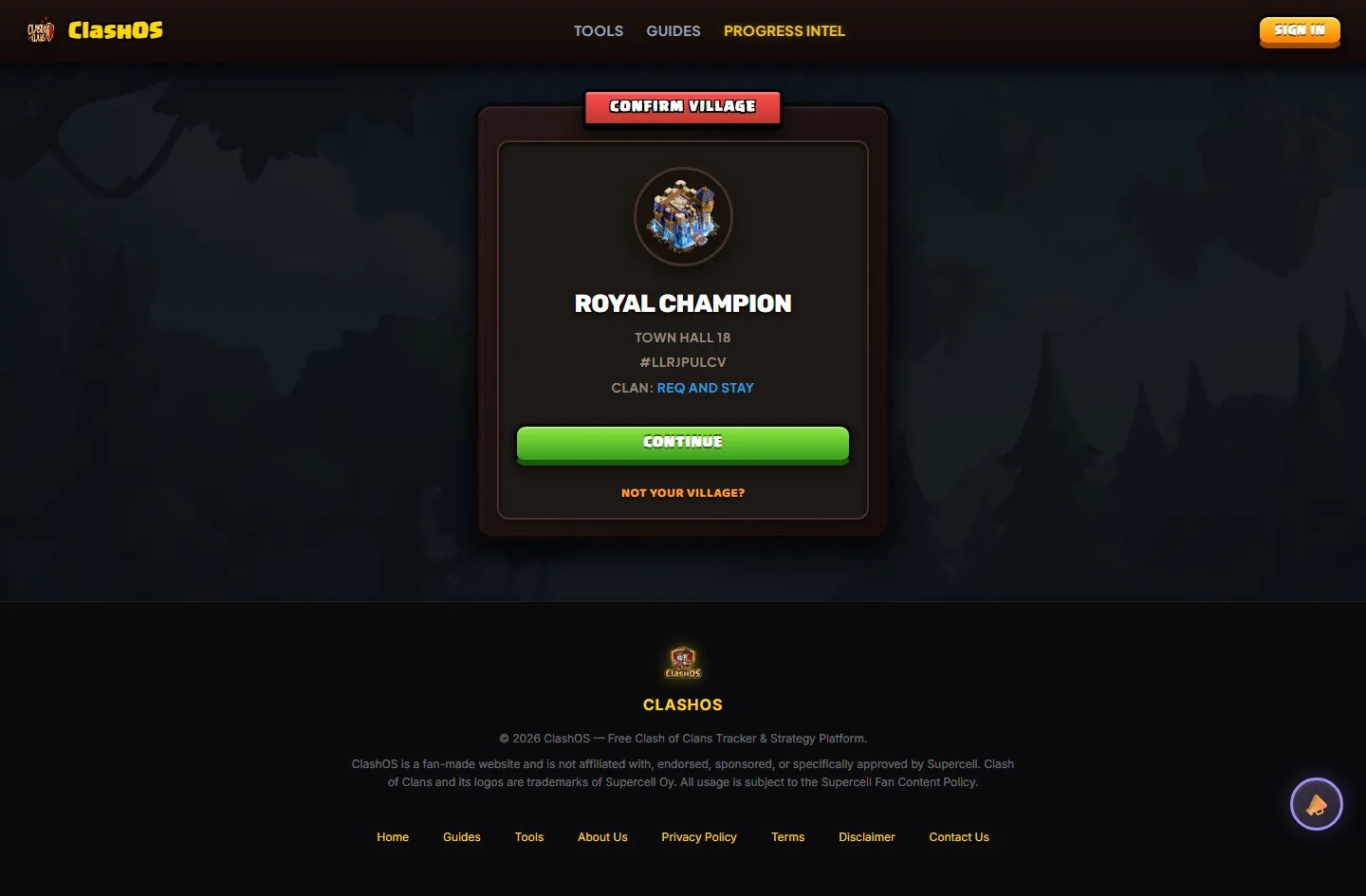
2 Confirm
The app shows the village it found — name, town hall level, clan. Tap Continue.
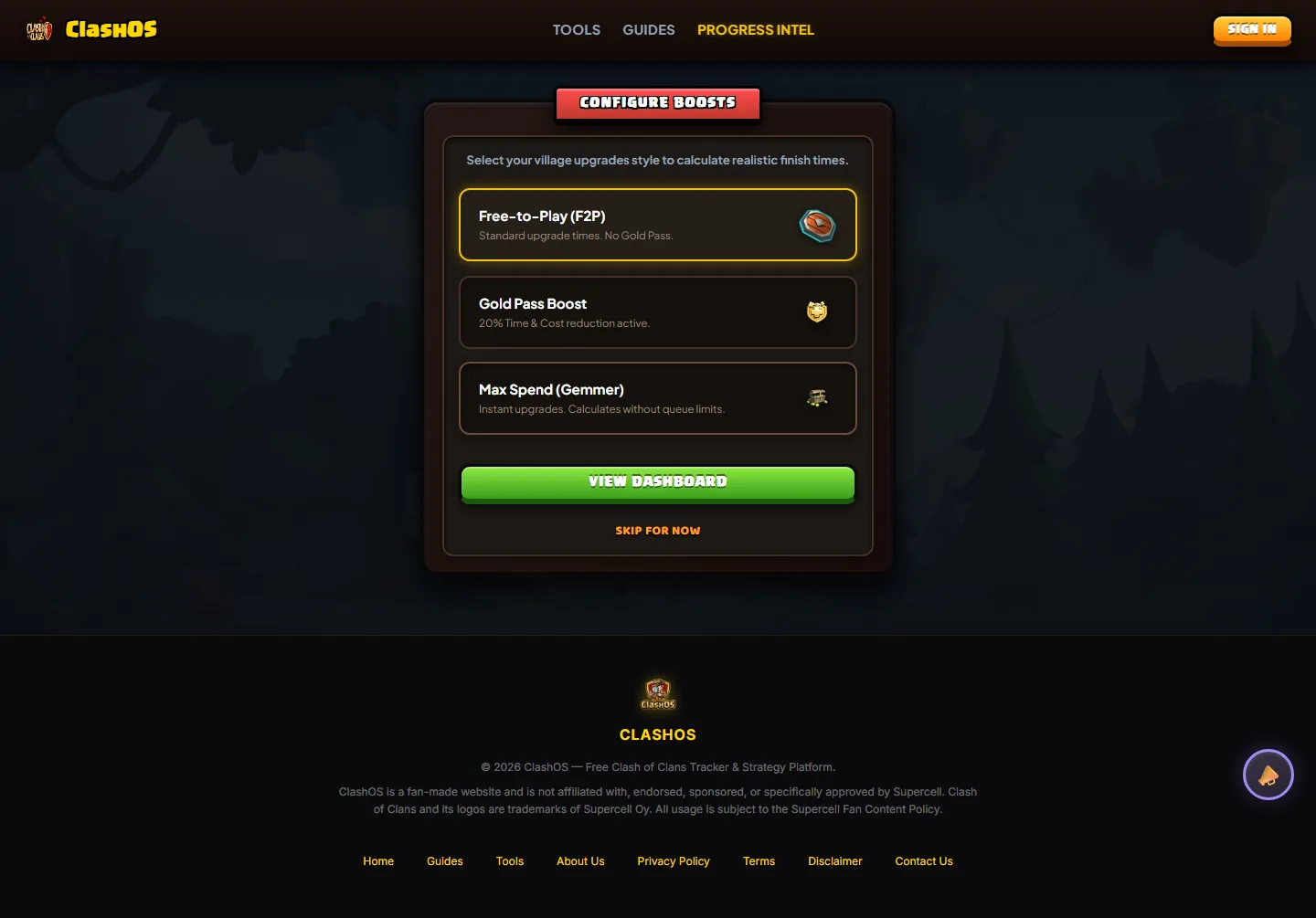
3 Boosts
Choose Free-to-Play, Gold Pass, or Max Spend. This adjusts finish-time estimates only — never the upgrade list.
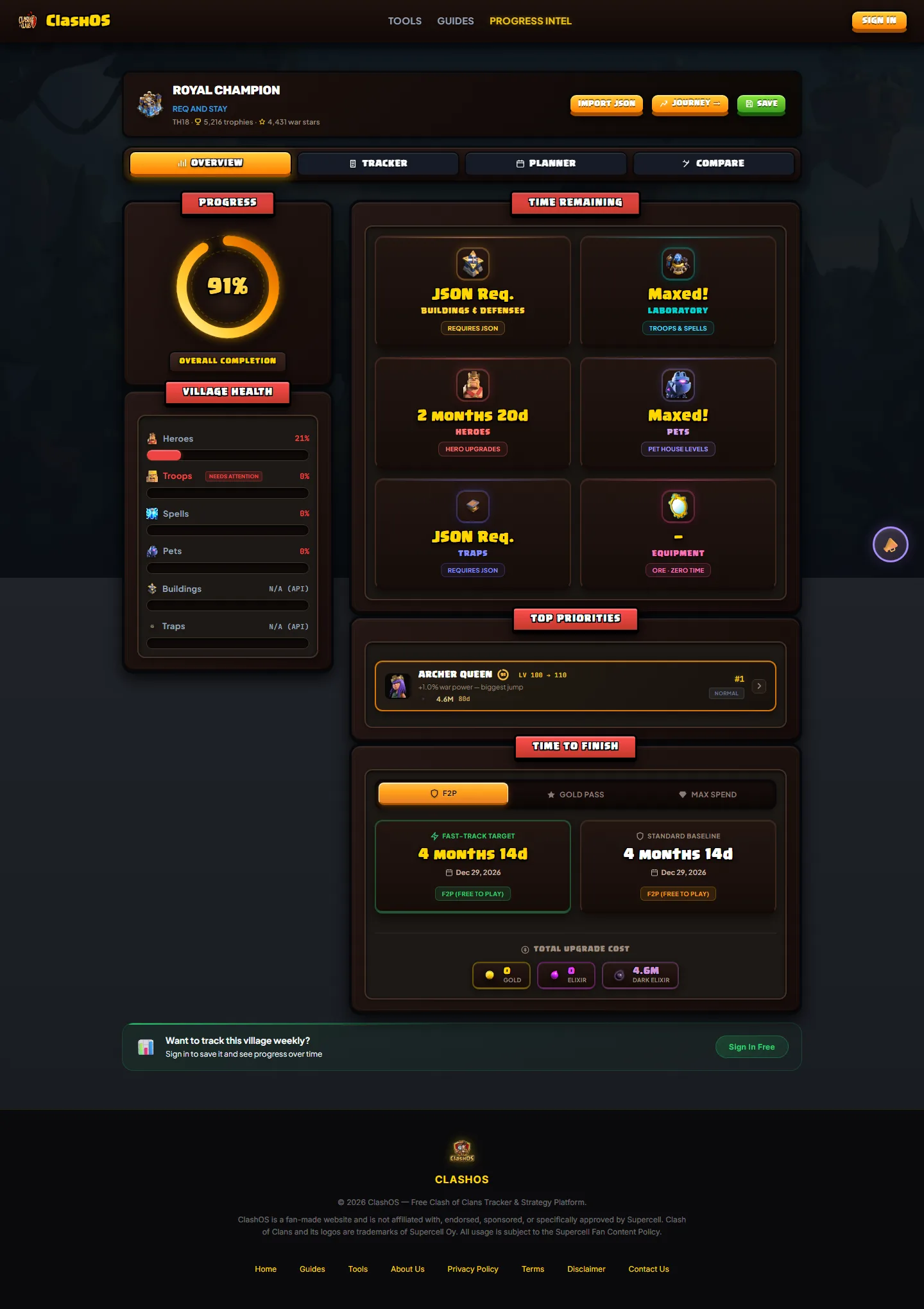
That's it — the dashboard opens with your full upgrade picture. You can also skip scanning entirely by importing a Village JSON export (next section).
API Scan vs JSON Import
API scan — instant, no setup
Entering a tag pulls your profile from the official Clash of Clans API. It covers Heroes, Troops, Spells, Pets and Equipment immediately. It cannot see Buildings, Traps or Walls — the official game API does not expose building or trap levels at all. This is a limitation of the API, not something Progress Intel chose to omit.
JSON import — full accuracy, optional
To track Buildings, Traps and Walls, import your village data directly from the game:
- In Clash of Clans, open Settings (gear icon).
- Tap More Settings.
- Scroll to the bottom and tap Export village data in JSON format.
- Tap Copy, then paste it into the Import Village JSON box in Progress Intel and tap Parse & Analyze.
The export covers whichever village is currently open — switch to your Home Village first. JSON import is optional: every other feature works with a plain API scan. On import, previously-invisible categories appear, which can shift your overall progress percentage — that's expected, not an error.
The Four Dashboard Tabs
Once your village is loaded, Progress Intel organizes your progression into four focused views:
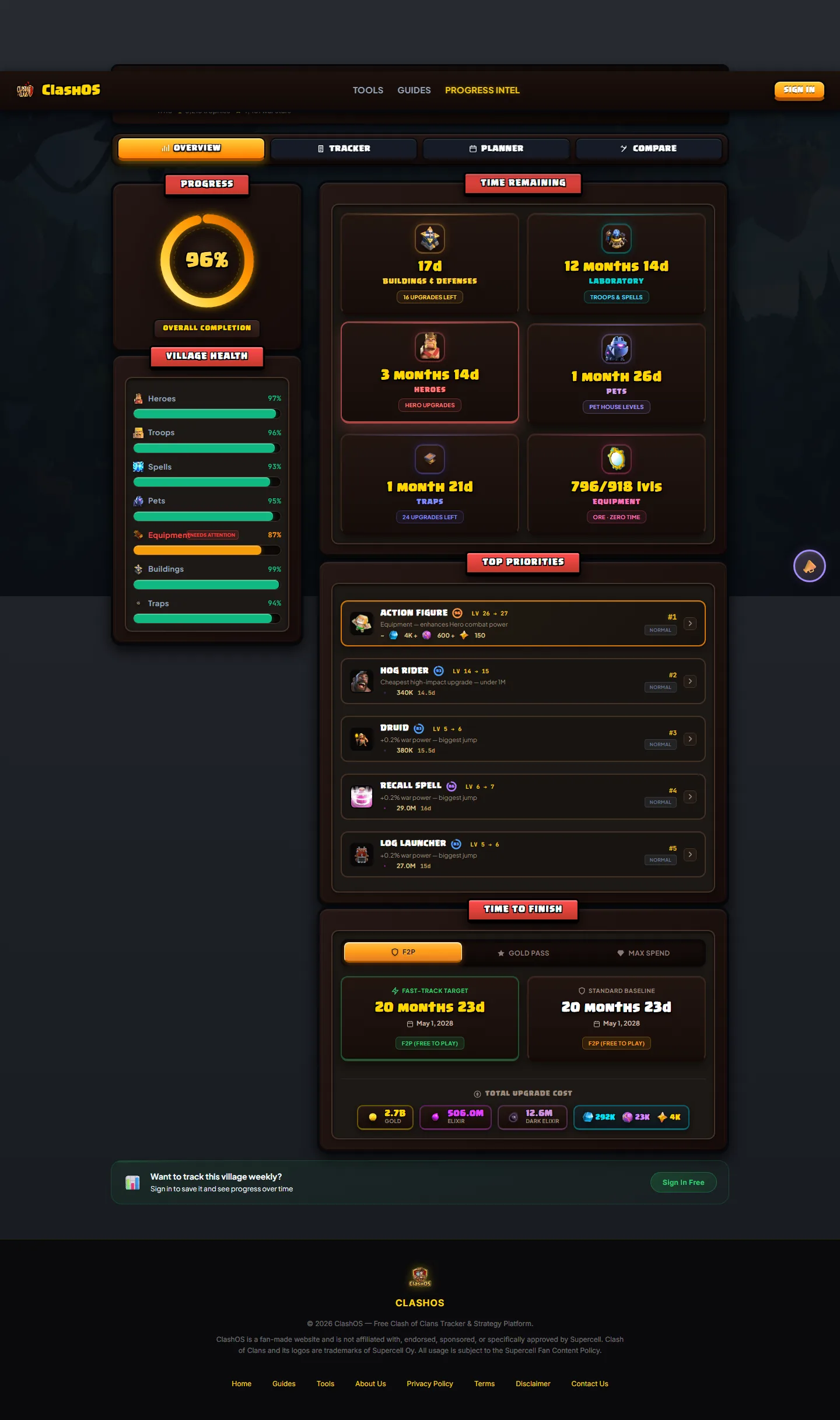
Overview
"Is my village okay? What should I do next?" Village Health bars per category, Overall Completion, a Time Remaining grid per economy (Buildings & Defenses, Laboratory, Heroes, Pets, Traps, Equipment), Top Priorities, and the fully-maxed estimate.
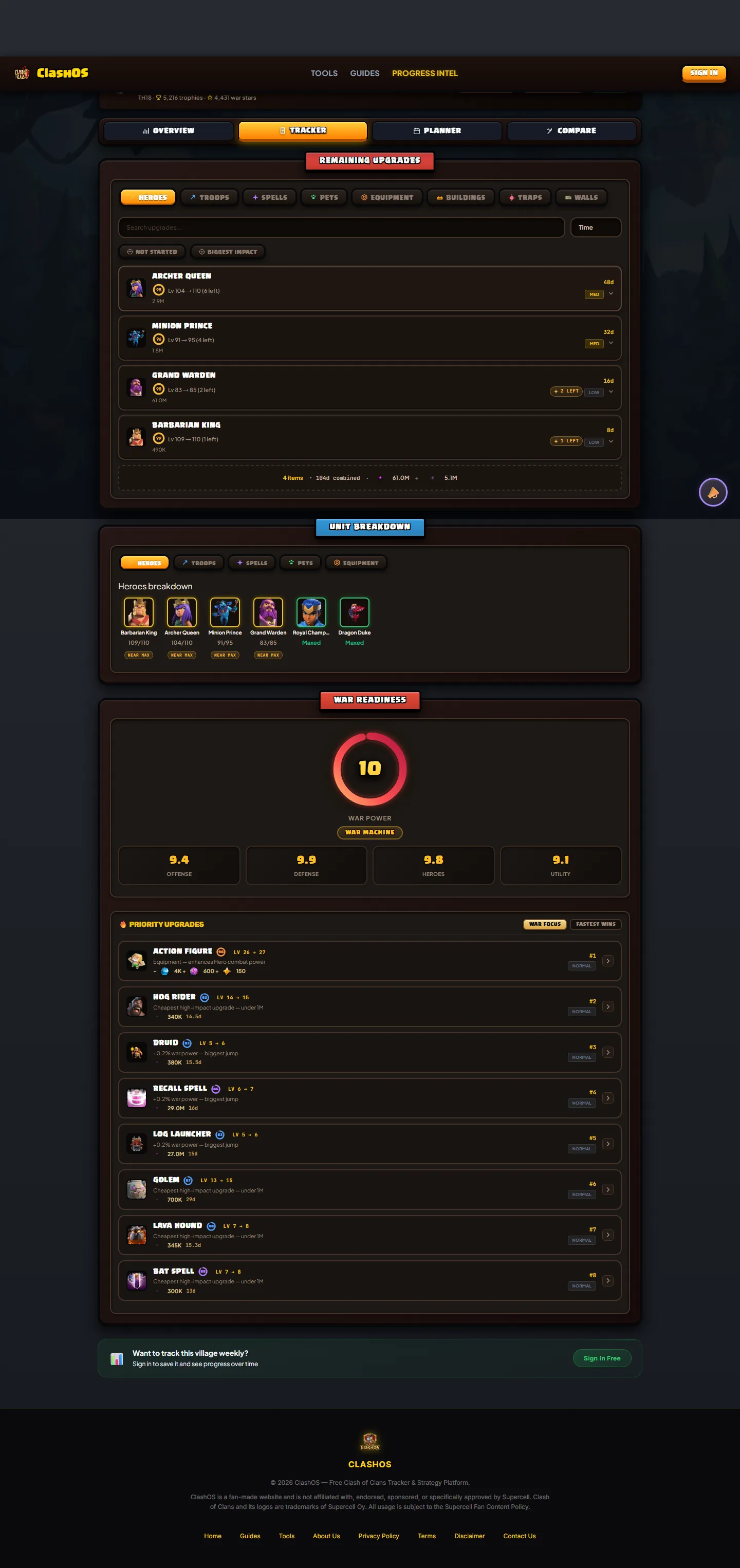
Tracker
Every remaining upgrade in one browsable ledger: exact cost and time per item, category tabs, search, and filters (not started, biggest first).
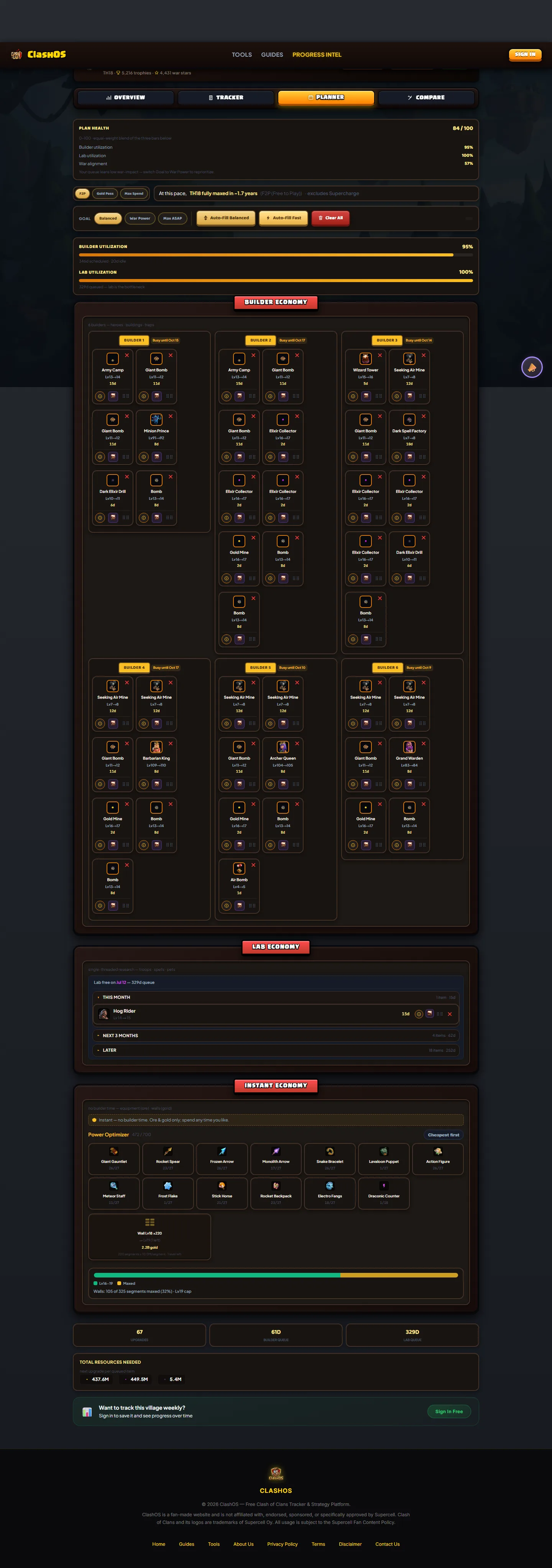
Planner
Schedule your 6 builders and the lab. Plan Health score, Next Best Move, goal selector (Balanced / War Power / Max ASAP), "Why this?" reasoning on every recommendation, and a Sync Preview before applying changes.
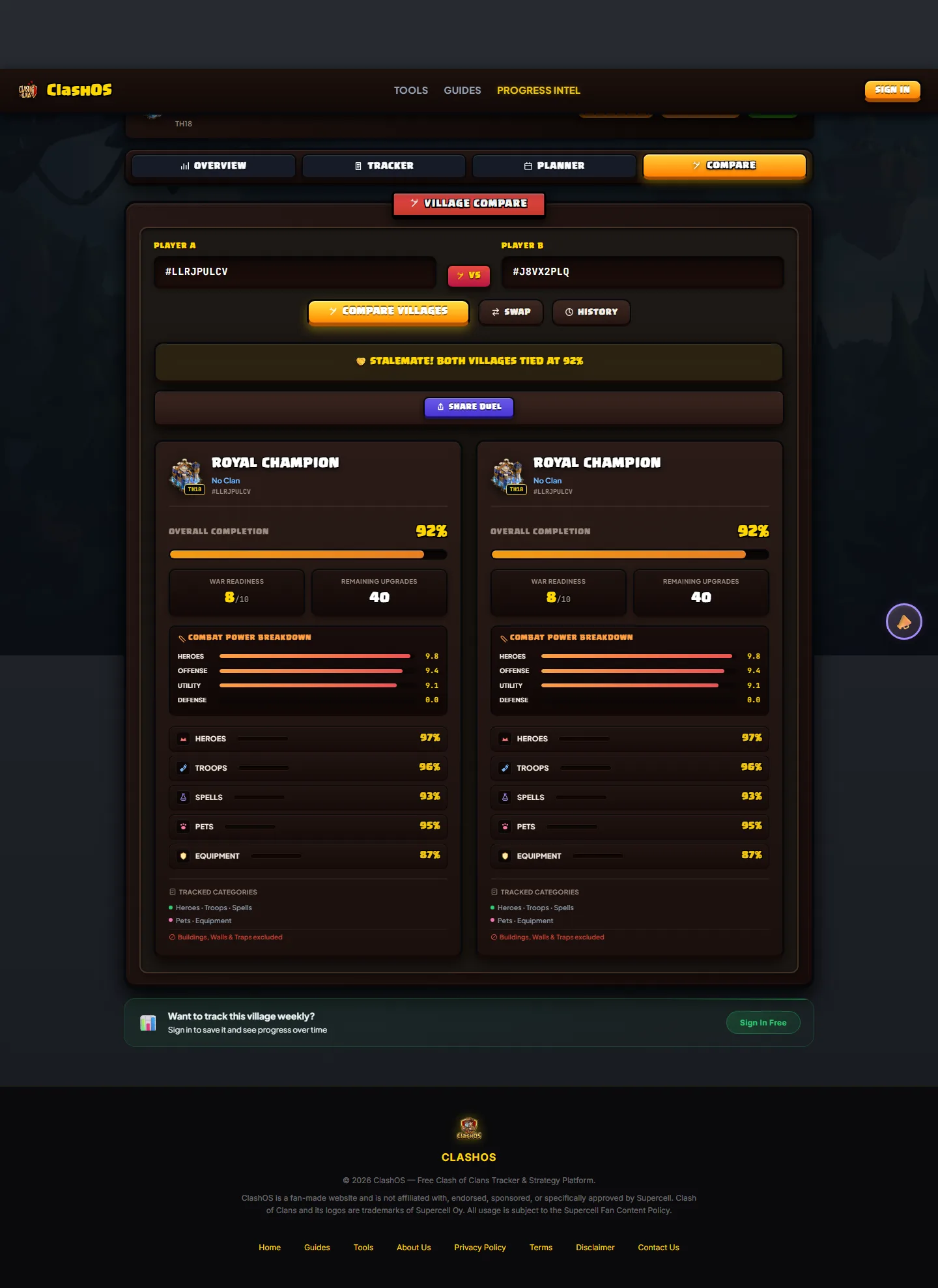
Compare
See how your village stacks up against a friend or rival, side by side, category by category. Opponent data is used to render the comparison and is never stored.
Journey — Track Progress Over Time
Journey tracks your progress over time. Each scan saves a snapshot; Journey turns those into a progress chart, a weekly story, streaks and achievements, and a strengths-and-gaps breakdown. It also powers the optional weekly email that tells you what changed in the last 7 days.
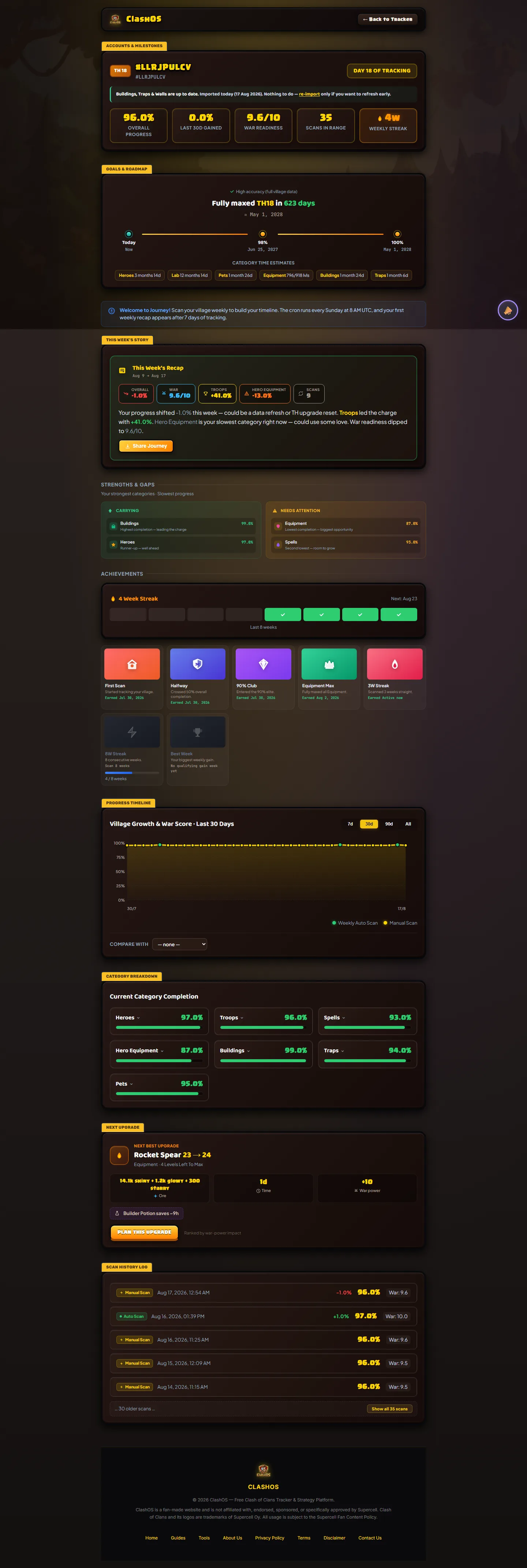
Journey needs a free ClashOS account (snapshots are saved per account) — the tracker itself does not.
Ready to Max Out Your Village?
Scan your player tag now to get your instant upgrade roadmap, plan your builders, and see your exact completion timeline.
Scan Your Village FreeFrequently Asked Questions
You're in API mode. The official Clash of Clans API doesn't report building or trap levels, so those categories can't be scored. Import your Village JSON (Settings → More Settings → Export village data in JSON format) to unlock them.
The most common cause is a first JSON import: it adds Buildings, Traps and Walls — categories the API scan couldn't see — so overall completion shifts. Rarely, a documented engine or data-correction update can change historical numbers; those changes are noted in the app when they happen.
Scanning a tag needs no account and stores nothing. JSON imports are kept only if you save the account. Compare never stores the opponent's data — it's fetched, rendered, and discarded.
Plan Health is a weighted average of builder utilization, lab utilization and war alignment of your queued items. "Why this?" shows the real per-item score (progress impact, speed factor, war weight) from the same engine that ranks Auto-Fill. Finish estimates simulate builder and lab queues in parallel — whichever track finishes last — under your selected boost mode.
No — scanning and the dashboard work without one. An account is only needed for Journey (saved snapshots) and to sync your saved plan across devices.
Yes — the dashboard and Journey are responsive down to 480px, with 44px touch targets.
Ready to scan your village?
Enter any player tag to get your complete upgrade roadmap, builder schedule, and time-to-max calculation in seconds.
Launch Progress Intel Tracker →Disclaimer: ClashOS is an independent fan site and is not affiliated with, endorsed by, or connected to Supercell Oy. Clash of Clans is a trademark of Supercell Oy. All game content and assets are the property of their respective owners. Prices, timers, and stats are subject to change with game updates.