
How to Verify Your Player Tag
Prove you own your Clash of Clans account with your API token. Then you can turn on automatic defense tracking.
Verifying proves you own your village. Auto-tracking is a separate switch in the Defense Ledger.
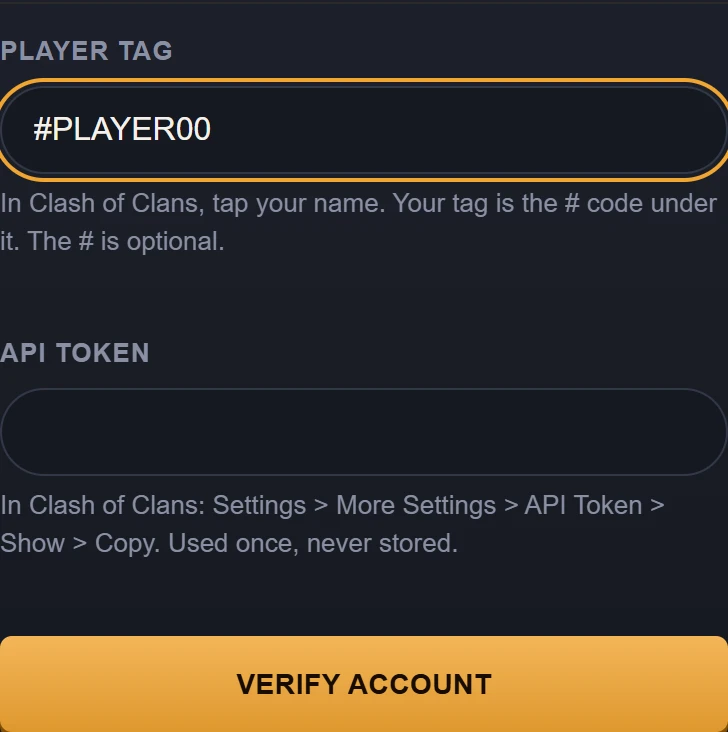
Example data. The verification card at phone width, with the example tag and an empty token field.
Steps to Verify Your Player Tag
Find your player tag in the game
In Clash of Clans, tap your player name. Your player tag is the code under your name. Example: #PLAYER00.
Get your API token from settings
In the game, open Settings, then More Settings, then API Token. Tap Show, then Copy.
BaseTrace checks the token once and never stores it.
Enter details and verify
In BaseTrace, go to My Bases. In the Player tag field, enter your tag. The leading # symbol is optional.
Paste your API token into the API token field. Tap Verify account.
How a base gets its hold rate
Use this base makes the layout your active base for a war. In My Bases, open a base and tap Use this base. BaseTrace saves each incoming attack against that base. Attacks are saved only while auto-tracking is on for that account. A public card counts a defense only when the defending player and tag are verified.
Next: turn on auto-tracking
When auto-tracking is on for the account, BaseTrace checks it about every 30 minutes. You can track up to 3 accounts.